

Microsoft has begun rolling out a new update for Xbox Insiders that will become available for all Xbox console users in the future.
The update available for Xbox Insiders adds the ability to disable Quick Resume on a per-game basis, increases the number of custom groups from 2 to 10, custom colors, and adds the five most recent unlocked badges to a users profile.
Read details on the content below:
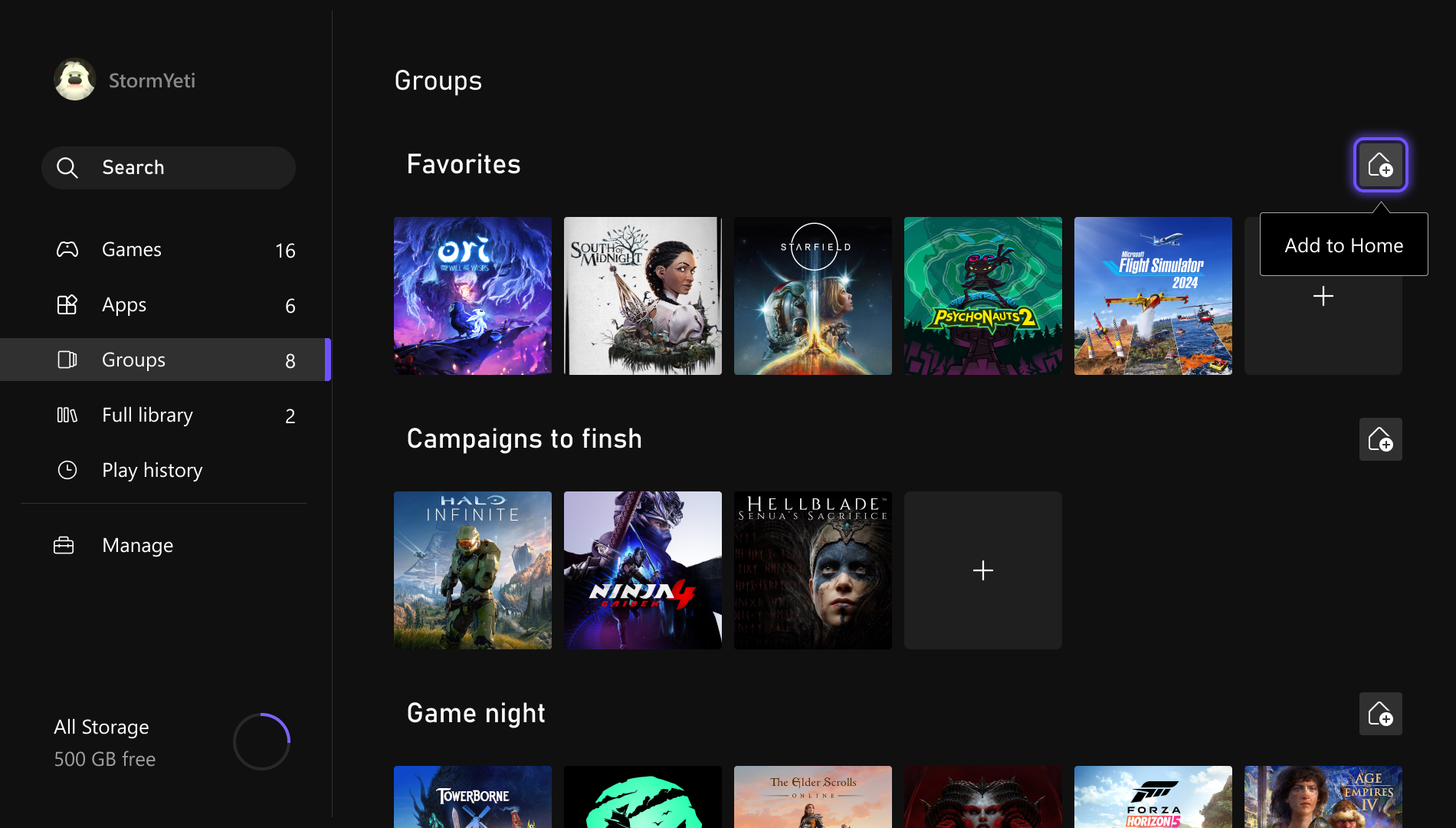
More Groups on Home
We’ve heard you want more ways to customize Home, so we’re expanding the number of groups you can add from 2 to 10. Managing groups is now easier too, as reordering now uses the same familiar experience as reordering games on Home. We’ve also made it more intuitive to pin groups to Home in My Games & Apps and made it easier to see which groups are already added.
Custom Color
We know expression and personalization matters. That’s why we’re introducing custom colors, giving you more ways to express yourself across the console. Instead of being limited to the existing system colors, you can now create a custom color that’s uniquely yours. Use the sliders to dial in the perfect hue and shade for you. You’ll also see a subtle splash of your chosen color in your Guide, which you can turn off at any time in Settings > General > Personalization > Customize the guide.
To make sure everything looks great across the console, a few guardrails are in place. And if you switch back to a system color, we’ll save your last custom selection so it’s easy to return to later. To start, custom colors will be visible to other Insiders, and they’ll roll out to everyone with the April update.
Quick Resume Settings
Quick Resume is one of the most loved features on Xbox, but we’ve heard that for certain games it doesn’t always deliver the experience you expect, especially after long periods of inactivity. With this update, you can disable Quick Resume on a per-game basis to ensure those games always launch fresh.
You can find this option by opening the More options menu on a game tile in the Quick Resume Group and selecting the Manage Quick Resume option, or by going to any game tile and selecting Manage game and add-ons > Quick Resume settings.
Profile Badges in Guide
Profile badges highlight notable moments and milestones across a player’s Xbox journey. Now, when you open your own profile or view another player’s profile in the Guide, you’ll now see their five most recently unlocked badges, making them easier to spot while browsing profiles.
A life-long and avid gamer, William D’Angelo was first introduced to VGChartz in 2007. After years of supporting the site, he was brought on in 2010 as a junior analyst, working his way up to lead analyst in 2012 and taking over the hardware estimates in 2017. He has expanded his involvement in the gaming community by producing content on his own YouTube channel and Twitch channel. You can follow the author on Bluesky.
Full Article – https://www.vgchartz.com/article/467310/xbox-update-to-add-per-game-quick-resume-more-groups-more/
